Any idea. Your style.
One line.
Brand Studio learns your visual style from three of your posts. After that, any idea becomes a finished graphic in your exact style: right fonts, right colours, and the text never comes out garbled like it does in AI image tools.
Teach it once. Then it's one line.
Drop in three of your posts
Screenshots of posts you like the look of, plus your logo and fonts if you have them. That is the only input that really matters.
It learns your style, once
Run /create-brand and it analyses your palette, fonts, voice and house style into a saved brand kit. A few minutes, one time.
One line per graphic, forever
Type an idea. It writes the copy in your voice, draws the visual in your style, and hands you a finished PNG at any social shape.
One line in. A finished graphic out.
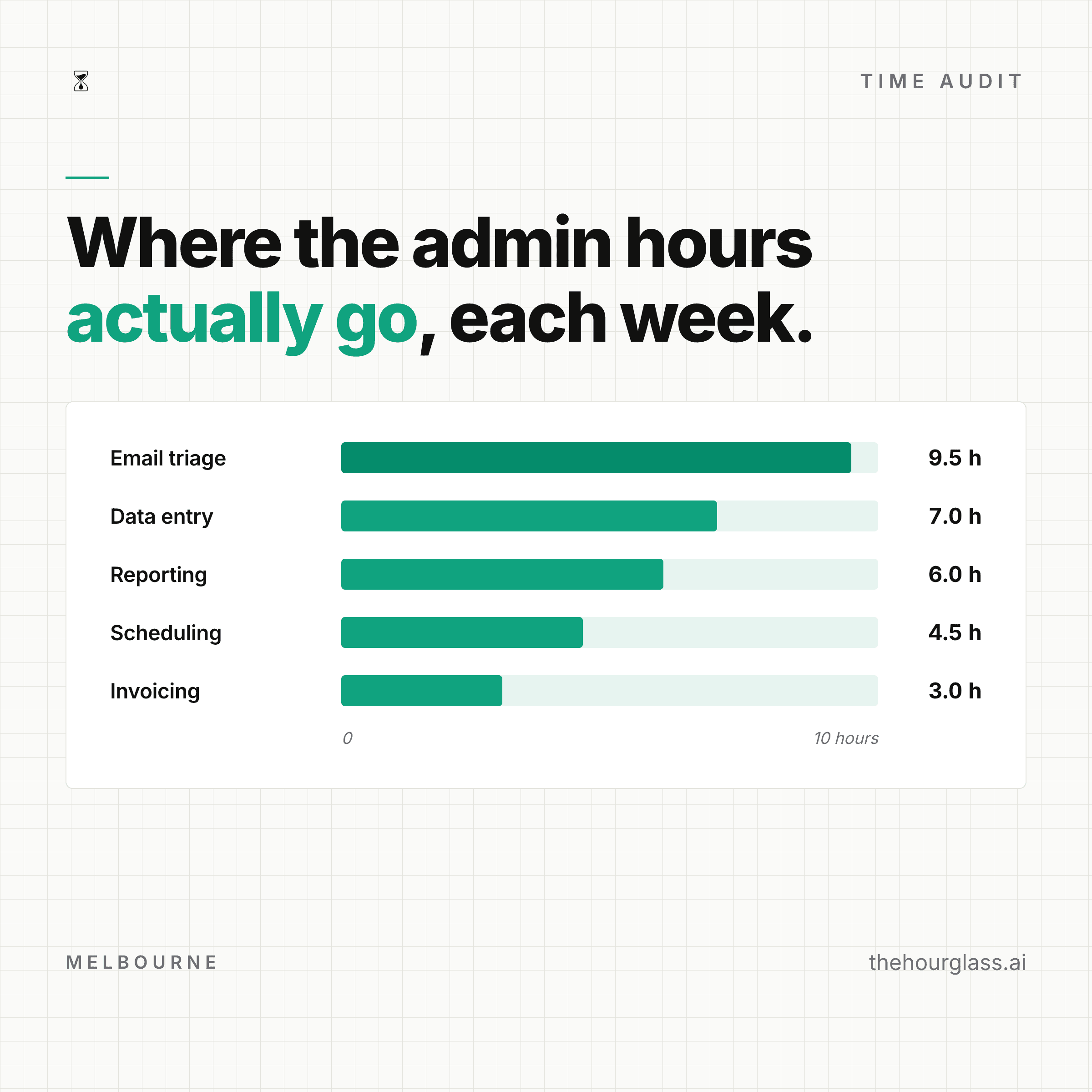
Each of these came from the one-line prompt shown above it. The copy, the layout and the styling were all done by the tool; nothing was placed by hand and nothing was touched afterwards.
Level 01
A post, in your style
> how Hourglass works: audit, build, maintain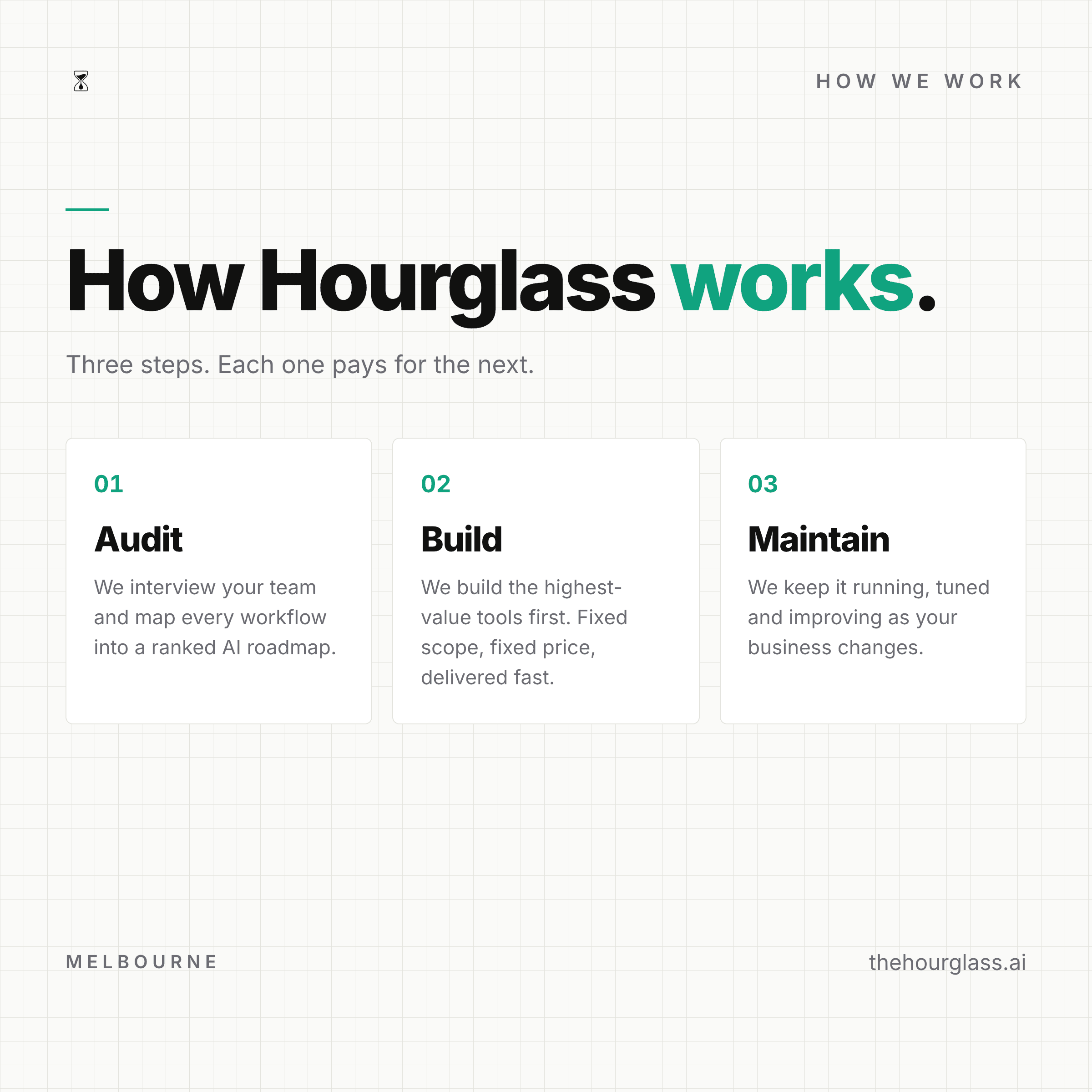
Level 02
Your graph, in your colours
> this graph, in our colours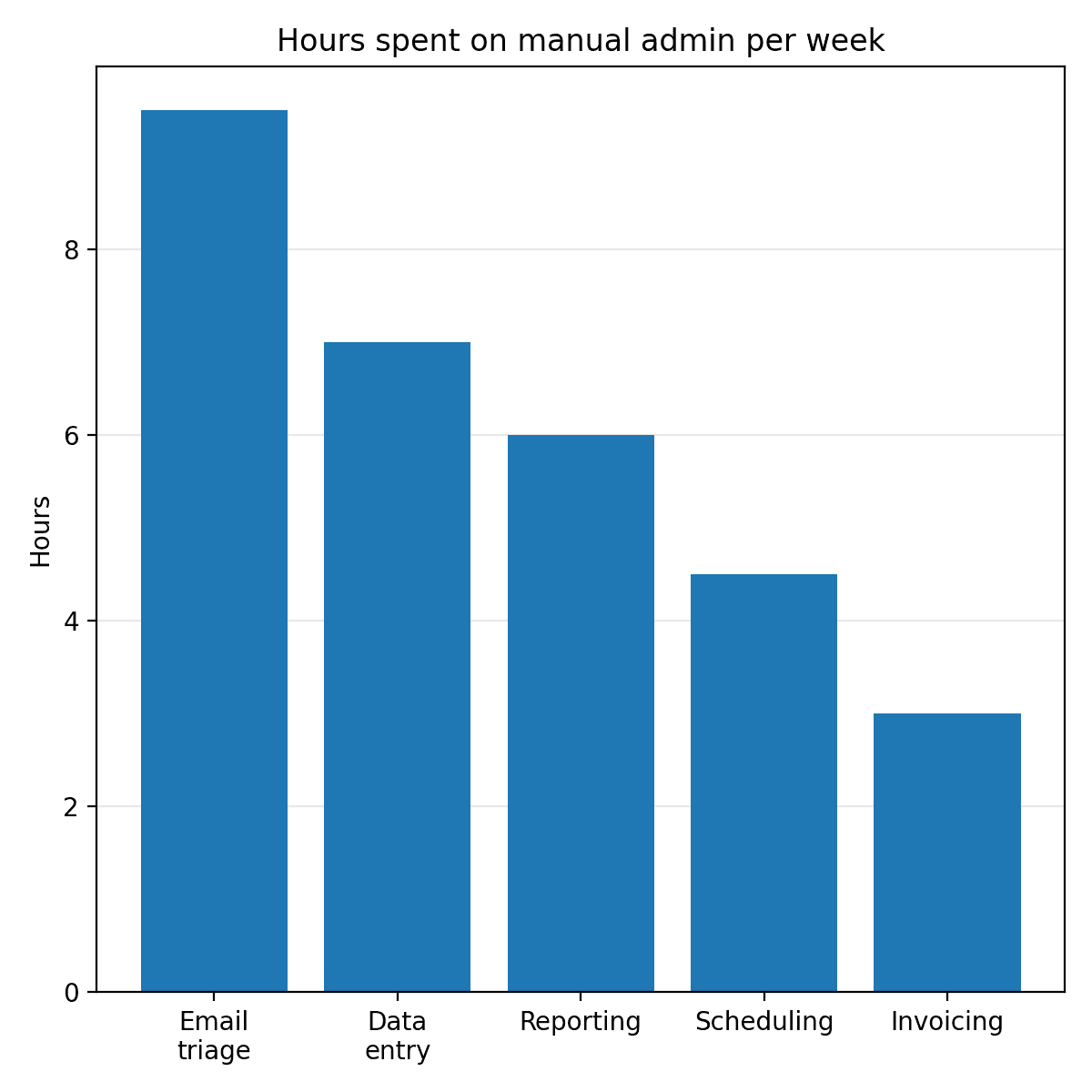
Level 03
A full infographic
> the company AI brain: why it matters and how it works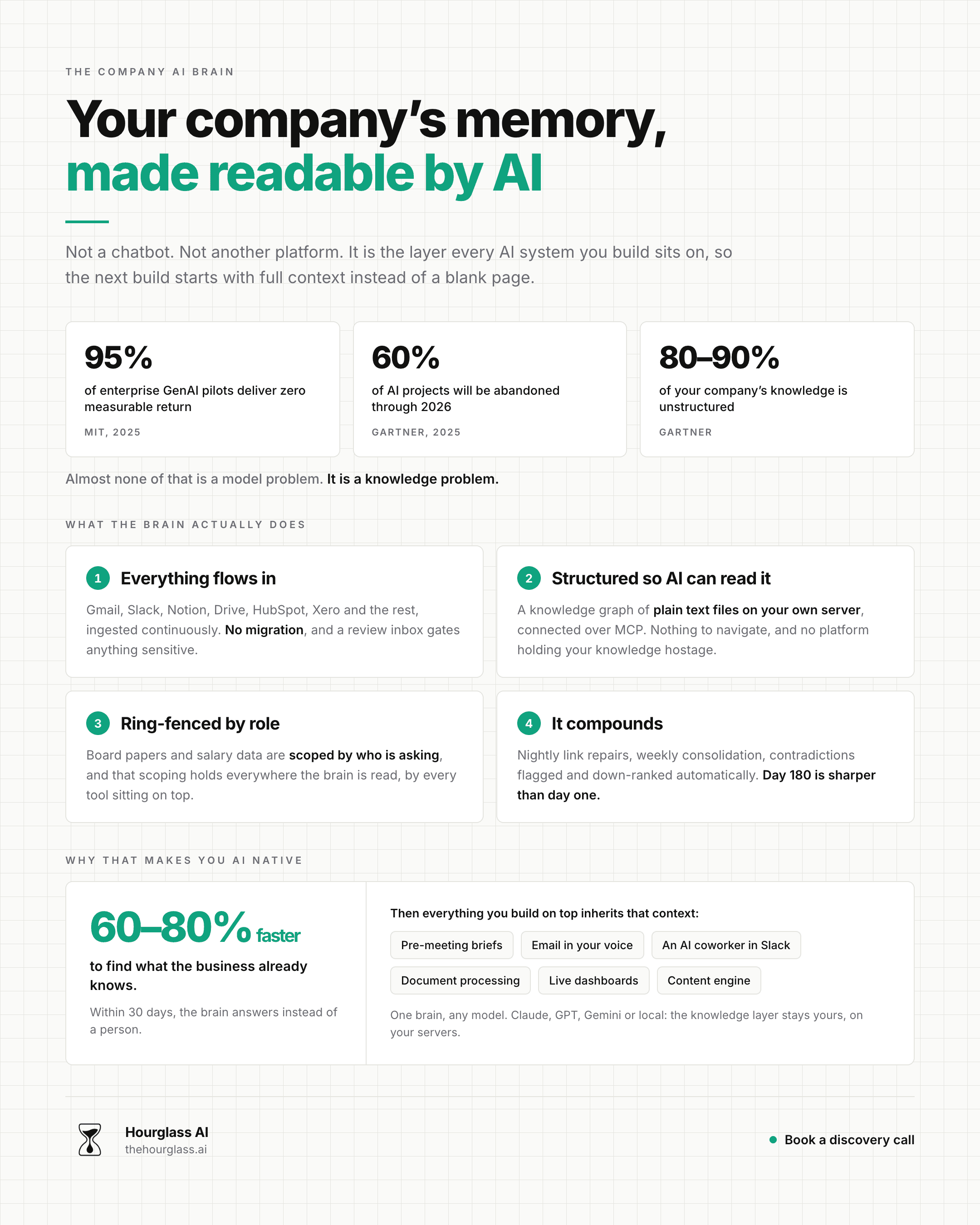
“Ngl they absolutely crushed it.”
Tom Alder asked us for the custom version: a render engine for Strategy Breakdowns. Data in, finished graphic out, 37 of them so far.
We used to make every single one of our graphics by hand. We tried the AI tools, but the outputs were slop. Often a chart looked off. A colour didn’t match our brand kit. Or we’d get one right, but couldn’t do more of them consistently.
Data goes in, a finished Strategy Breakdowns graphic comes out. Right fonts, right purple (#B19EF8), right bendy arrows, right software-but-warm vibe, right everything.
The secret: the brand is expressed in code, rather [than] prompting an image model and rolling the dice.
They were great to work with, real professionals. If you’re after something similar I’d absolutely recommend talking to them.
Two minutes, no terminal
Brand Studio runs inside the AI coding agent you already use. Pick yours and paste the lines into it: the agent sorts out everything else itself.

Claude Code
Needs a paid Claude plan (Pro or Max).
Add the Hourglass catalogue
Paste this into any Claude Code session:
/plugin marketplace add HourglassDigital/brand-studioInstall Brand Studio
/plugin install brand-studio@hourglassTeach it your brand
Start a new session, have 2-3 screenshots of your posts ready, then run:
/create-brandIt walks you through the rest with questions. From then on, every graphic is one line: /create-asset followed by your idea.

Codex
Needs a paid ChatGPT plan.
Ask Codex to install it
Paste this into a Codex session and let it do the work:
Install Brand Studio: git clone https://github.com/HourglassDigital/brand-studio into ~/.agents/skills/brand-studio, then run npm install inside ~/.agents/skills/brand-studio/engine.Teach it your brand
Restart Codex, have 2-3 screenshots of your posts ready, then type:
$create-brandIt walks you through the rest with questions. From then on, every graphic is one line: $create-asset followed by your idea.
Stuck, or want a hand setting it up?
Reply to whoever sent you this link, or email us and we'll walk you through it.
Email anna@thehourglass.ai